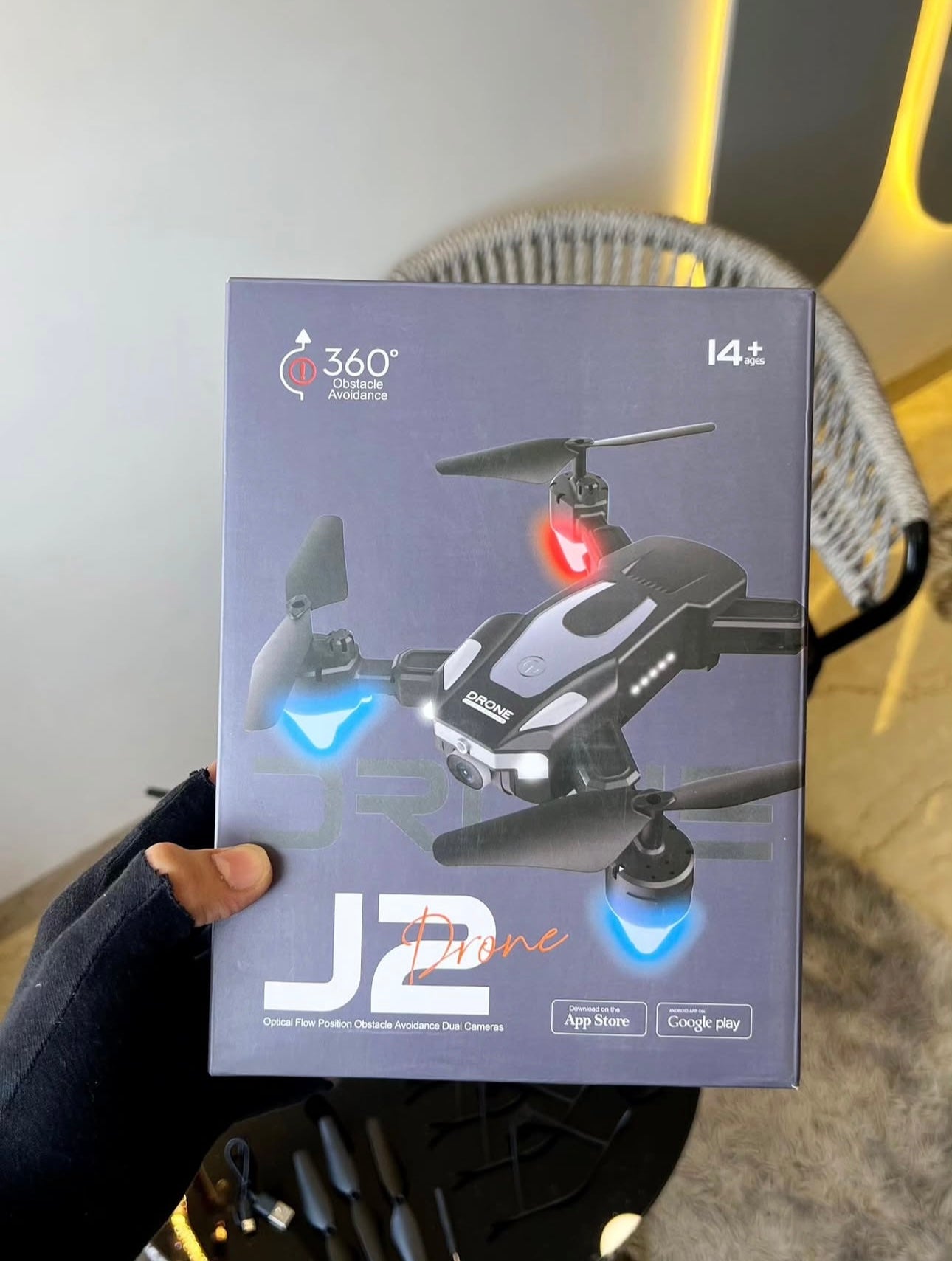
Prelium J2 Foldable HD Dual Camera Drone with Wi-Fi FPV | Brushless Motor | Optical Flow | One-Key Takeoff & Landing | Gesture Selfie | Android & iOS Support
Prelium J2 Foldable HD Dual Camera Drone with Wi-Fi FPV | Brushless Motor | Optical Flow | One-Key Takeoff & Landing | Gesture Selfie | Android & iOS Support
Please hurry! Only 25 in stock
Couldn't load pickup availability
Product Description
Product Description
Product Description
Experience aerial photography like never before with the Prelium J2 Foldable HD Dual Camera Drone. Designed for beginners, kids, and drone enthusiasts, this compact drone combines intelligent flight features with a lightweight foldable design. Capture stunning HD photos and smooth videos using the dual-camera system with real-time Wi-Fi FPV transmission directly to your smartphone.
With one-key takeoff and landing, altitude hold, optical flow positioning, headless mode, and 360° flips, the Prelium J2 offers an easy and exciting flying experience. Its brushless motors provide smoother, quieter, and more durable performance while delivering excellent stability during flight. Compatible with both Android and iOS smartphones through a dedicated drone app, it allows you to control the drone, record videos, capture photos, and enjoy live FPV flying.
Perfect for outdoor adventures, family trips, and beginners learning drone flying. Available exclusively on Prelium.in
Features
- HD Dual Camera with Wi-Fi FPV Live View
- Foldable & Portable Design
- Brushless High-Speed Motors
- One-Key Takeoff & Landing
- Optical Flow Positioning
- Altitude Hold Function
- Gesture Photo & Video Capture
- Headless Mode
- 360° Stunt Flip
- Speed Adjustment (Low/Medium/High)
- Emergency Stop
- Modular Rechargeable Battery
- Mobile App Control
- Remote Controller Included
- Suitable for Beginners & Kids
Benefits
- Easy to fly for first-time users.
- Stable hovering for smoother videos.
- Compact foldable design for easy travel.
- Real-time FPV view on your smartphone.
- Brushless motors offer longer life and better efficiency.
- Capture memorable photos and videos from the sky.
- Perfect gift for kids, teenagers, and drone lovers.
- Improves hand-eye coordination and flying skills.
- Multiple intelligent flight modes for extra fun.
- Lightweight design makes transportation convenient.
Specifications
| Feature | Details |
|---|---|
| Product Name | Prelium J2 Foldable Drone |
| Camera | HD Dual Camera |
| Live View | Wi-Fi FPV |
| Flight Control | 2.4GHz Remote Control |
| Control Distance | Up to 80–100 meters* |
| Flight Time | Approximately 10–15 minutes per battery* |
| Charging Time | 60–90 minutes* |
| Battery | Rechargeable Modular Li-ion Battery |
| Motor Type | Brushless Motor |
| Drone Material | ABS Plastic |
| Foldable | Yes |
| Altitude Hold | Yes |
| Optical Flow | Yes |
| Gesture Selfie | Yes |
| 360° Flip | Yes |
| Headless Mode | Yes |
| One-Key Return | Yes |
| One-Key Takeoff/Landing | Yes |
| Speed Modes | 3 Levels |
| Suitable Age | 14+ Years (Adult Supervision Recommended) |
| App Support | Android & iOS |
*Flight range and battery life may vary depending on wind, flying style, and environmental conditions.
Technical Specifications
- Operating Frequency: 2.4GHz
- Camera Resolution: HD Camera
- Image Transmission: Wi-Fi FPV
- Battery Type: 3.7V Rechargeable Lithium Battery
- Charging Input: USB Charging Cable
- Remote Controller Battery: 3 × AA Batteries (Not Included)
- Flight Modes:
- Altitude Hold
- Optical Flow
- Headless Mode
- Gesture Photography
- 360° Flip
- Speed Switch
- Emergency Stop
- One-Key Return
- Folded Design for Easy Storage
- Lightweight Portable Construction
App Support Guide
Supported Devices
- Android Smartphones (Android 8.0 or above recommended)
- iPhone (iOS 12 or above recommended)
How to Connect
- Fully charge the drone battery.
- Insert the battery into the drone.
- Turn on the drone.
- Enable Wi-Fi on your smartphone.
- Connect to the drone's Wi-Fi network (for example, J2-XXXXXX).
- Open the compatible drone app.
- Allow Camera, Storage, and Location permissions.
- Tap Start Fly to view the live camera feed.
- Calibrate the drone before your first flight.
- Enjoy flying safely in an open outdoor area.
Common App Functions
- Live FPV Camera
- Photo Capture
- Video Recording
- Gesture Selfie
- Gravity Sensor Control
- One-Key Takeoff
- One-Key Landing
- Speed Adjustment
- Flight Path Mode (if supported)
- Emergency Stop
Troubleshooting
- Ensure the drone battery is fully charged.
- Keep Wi-Fi enabled during flight.
- Reconnect if the live view disconnects.
- Calibrate before every flight for stable hovering.
- Close other apps if the video feed becomes slow.
- Avoid flying in strong winds or near power lines.
Note: The exact app name depends on the J2 drone manufacturer (commonly apps such as HFun, HFUN Pro, XIL Pro, or a QR-code-linked app included in the user manual). Use the QR code supplied with your drone packaging to download the correct application.
🔥 Selling Fast • 30 customers are viewing this product
Estimated Delivery Date Jul 05

Order Confirmed
Jan 8th

Shipped
Jan 9th

At Your Doorstep
Jan 11th